01 · Monitor
Follow the operation
Read financial, entity, and routing performance in one reporting surface.
Pulse · Data visualization
Pulse makes your performance visible across reporting, routing, and call analysis. When the picture raises a question, Nell helps you investigate what is driving it and move toward the next action.
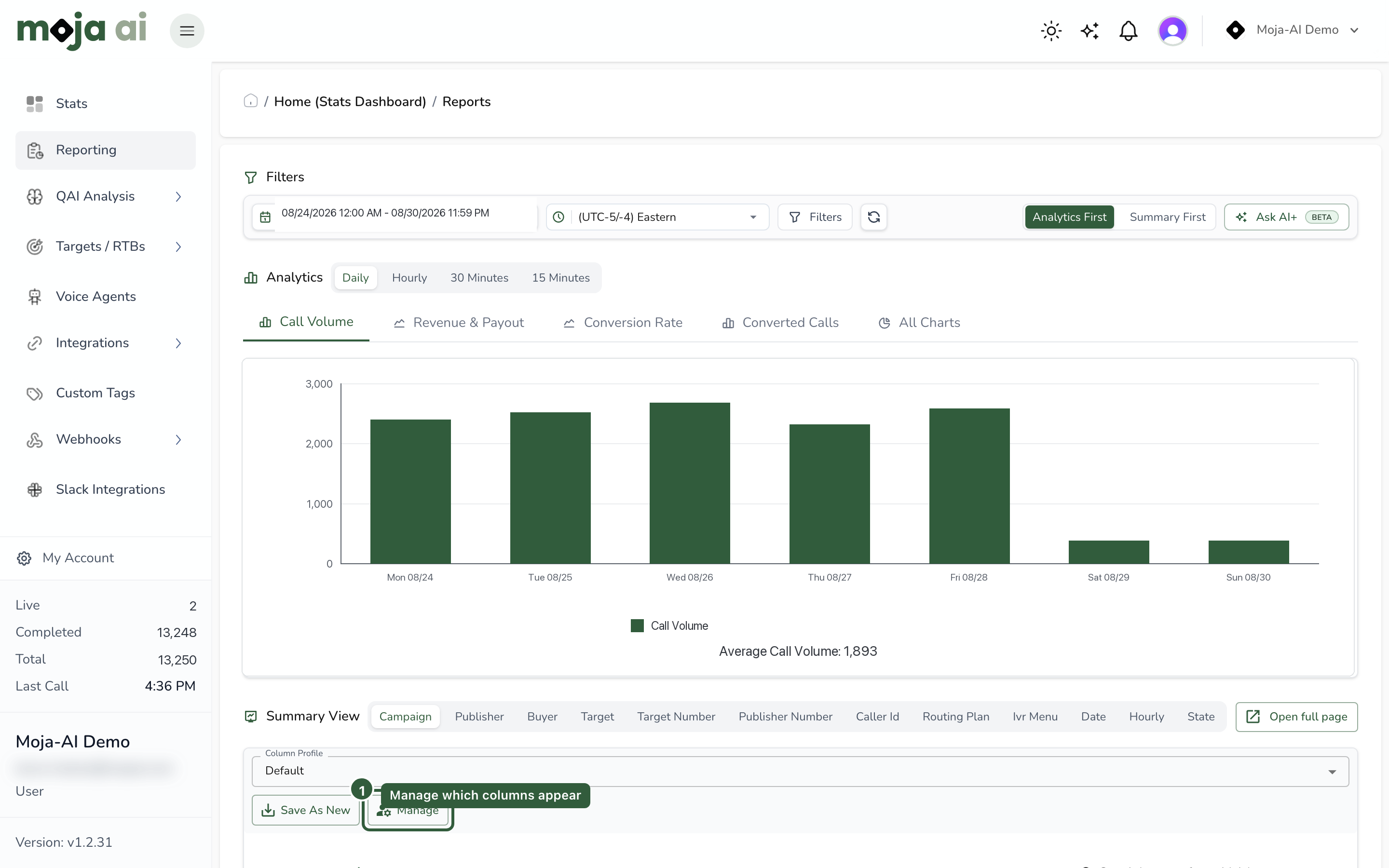
Pulse is the data visualization. QAI is the call-analysis engine within it. Nell is your personal assistant inside Moja. Analysis coverage and Nell workflows depend on the recordings, configuration, permissions, and services enabled for your account.
One surface. Four ways in.
01 · Monitor
Read financial, entity, and routing performance in one reporting surface.
02 · Detect
Investigate quality signals and routes that deserve a closer look.
03 · Explore
Use Ask AI to query reporting data in plain English. Ask AI is in beta.
04 · Analyze
QAI brings transcripts, speaker labels, sentiment, and custom question extraction to call review.
Every call becomes a transcript with the speakers labeled — Agent, Customer, Third Party — and speaking time tracked per side. A call where the agent talked 80% of the time reads differently from one where the customer did, and now you can see which was which.
Sentiment is scored per utterance — positive, neutral, negative — not averaged into one number for the whole call. Sentiment trends roll up by campaign, publisher, buyer, and agent, and sentiment drivers show what moved the score.
Define the questions that matter to your operation — was consent given, was the price quoted, did the caller qualify — and QAI answers them from each conversation. QA stops being a checklist someone fills in after listening; it's extracted from what was actually said.
The analysis lands in the same reporting spine as your call data: CPA, CPC, RPC, P&L, and ROI, broken down by campaign, publisher, buyer, number, and target — plus routing analytics across routing plans and digit performance. What the calls say and what the calls earn sit in one place.
Visible performance, connected action
Every call transcribed with Agent / Customer / Third Party speaker labels.
Positive / neutral / negative per utterance, with trends and drivers by entity.
Your questions answered from each call automatically.
Speaking-time share per side, per call and in aggregate.
CPA, CPC, RPC, P&L, and ROI rollups.
Breakdowns by campaign, publisher, buyer, number, and target.
Routing plans and digit performance, with optimization views.
The call replayed as a scored, navigable timeline.